Calendar
Calendars are the perfect way to organize your schedule, and now you can create a shared calendar right inside your existing space or chat.
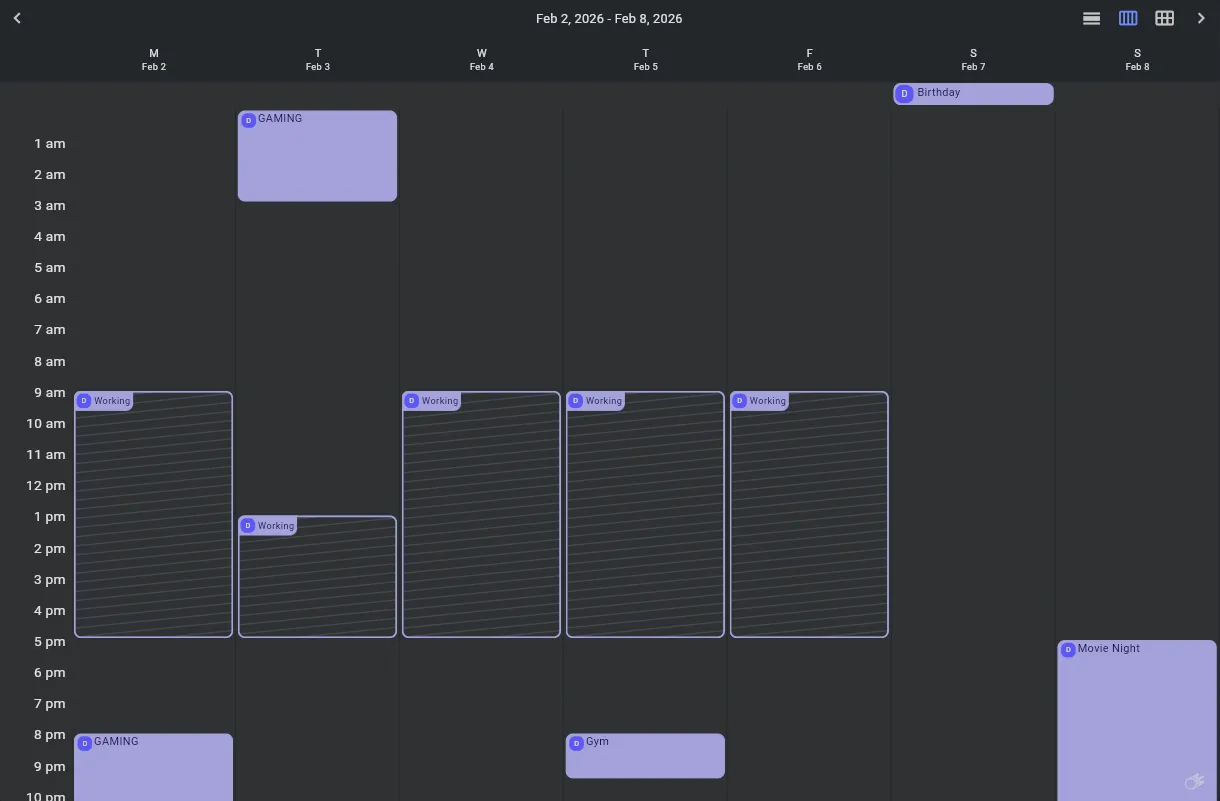
Calendar Rooms
The simplest way to get a calendar, is by creating a Calendar Room. These calendar rooms can be added to your Space, and will show today’s events right inside the room list, as well as showing a more detailed view when opening the room. The calendar room will be created with a preconfigured widget, and permissions.
Calendar Widget
Calendars can also be added to existing rooms, such as group text chats or direct messages. The widget is accessible in not only Commet, but any other Matrix client which supports widgets, such as Element.
To add a calendar widget to a room, use the following command:
/addwidget https://calendar-widget.commet.chat/#/?widgetId=$matrix_widget_id&userId=$matrix_user_id&theme=$org.matrix.msc2873.client_theme&userDisplayName=$matrix_display_name&userAvatarUrl=$matrix_avatar_url&language=$org.matrix.msc2873.client_language
External Calendar Sources
We can also sync events to the calendar from external calendar sources1. Currently the only supported source is iCal (.ics) calendar URLs. You can get these links from many common Calendar applications:
- Google Calendar using ‘Secret Address’2
- Outlook using ‘Publish your calendar’
- Apple Calendar using ‘Public Calendar’
- Proton Calendar using ‘Share With Anyone’
- And many more!
Syncing
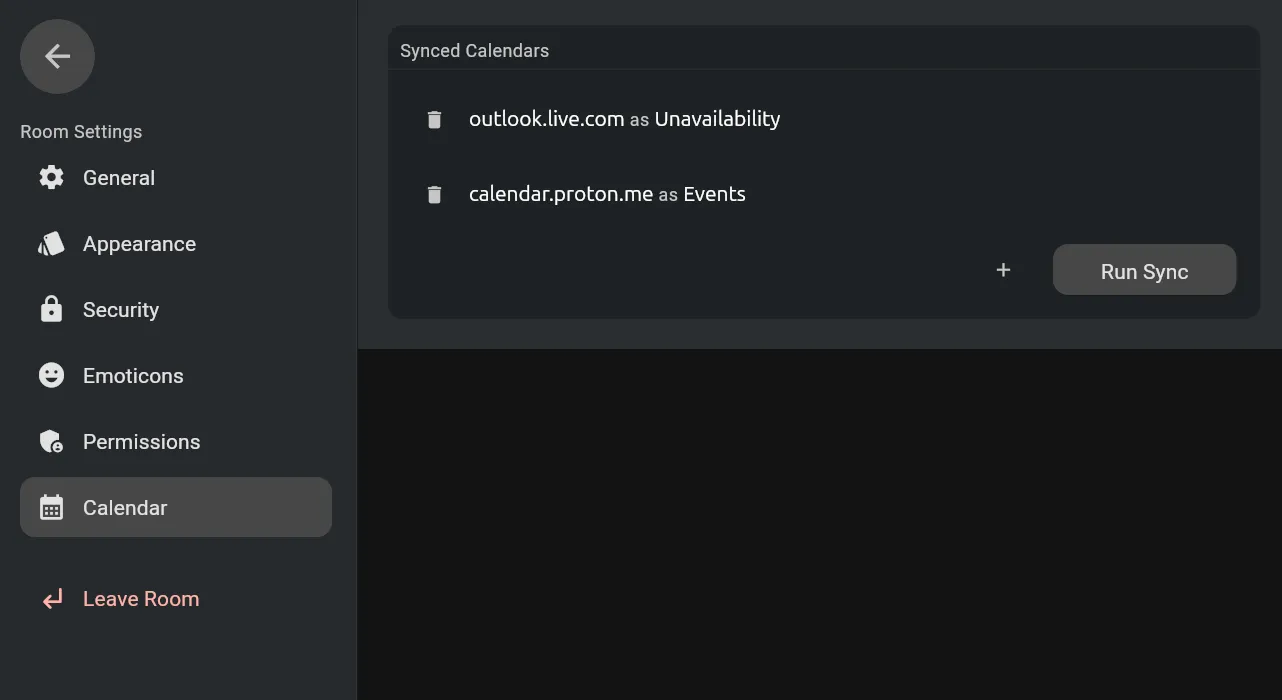
Once you have a calendar URL, go to your room settings, and on the ‘Calendar’ page, press the + icon, and input the calendar link.
You can choose to sync events as either an Event or Unavailability, as well as overriding the event name.
Once you have added the source, press the “Run Sync” button to immediately fetch the events. The app will periodically fetch new events in the background, keeping your calendar always up to date!
Footnotes
-
External calendar sync is only available inside Commet, and not from using the Calendar Widget from another client. ↩
-
The URL itself is not shared with other users, so it is safe to use the Secret Address. The address will be stored in your account data, and so would be accessible by your homeserver operator. ↩